In this article, we’ll discuss why it’s crucial to track your business expenses, as well as the best expense tracker apps available – both free as well as paid – to assist you in achieving your goals financially.
People who own a company find it much more challenging to put money towards savings each month. It may be due to the fact that their income fluctuates monthly, making it impossible to stick to a planned budget, in comparison to those who have steady salaries.
On a positive note, there are a variety of expense tracker apps available to assist people through this ordeal.
Best Expense Tracker Apps For Businesses In 2026
1. QuickBooks – Best App For Tracking Mileage And Expenses
2. Empower (formerly Personal Capital) – Best App For Building Wealth
3. Zoho Expense – Travel And Expense Management App
4. Emburse Spend (formerly Abacus) – Best Expense Reporting App
5. Rydoo Expense – Best Expense Tracker Software For Travel
6. Shoeboxed – Best Receipt Tracker App
Let’s look at the best small business expense tracker software available on the market.
Business Expense Tracker Apps Comparison
1. QuickBooks Review – Best App For Tracking Mileage And Expenses
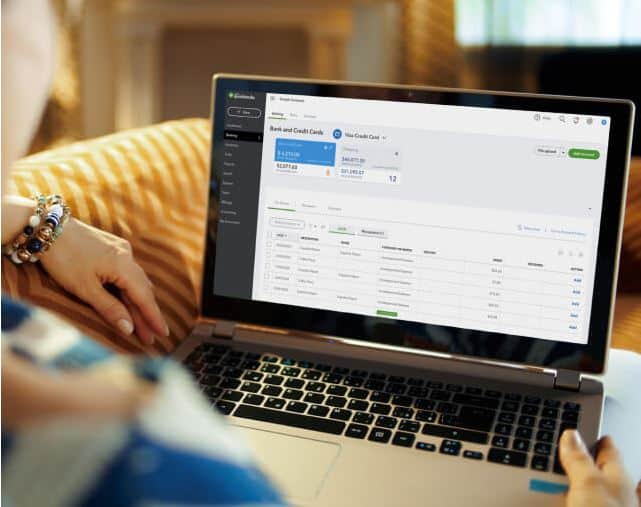
Quickbooks by Intuit is overall the best small business expense tracker app. With a single click, users can access their financial information. They have immediate access to information about customers, vendors, and employees.
With the version available online, customers get free support and improvements, as well as a free trial for 30 days.
QuickBooks would be our top choice when it comes to the best small business expense tracker app for a variety of reasons. It has robust reporting, flexible invoices, inventory management, support for various currencies, and over 600 integrations.
The software also offers live bookkeeping, which allows users to delegate their bookkeeping work to an accountant online.
Features & Benefits
- An automatic update selection that keeps numbers current without entering data manually.
- Payment data can be collected from the bank of the user, third-party applications, and a variety of other sources.
- The software assists the user in preparing for tax season by categorizing all tax-related expenses.
- Payments that are deposited can be collected on the next available business day. But, receiving bank payments the next day incurs a small fee.
- Users can monitor their mileage deductions using the mileage tracker on their smartphones. This functionality tracks both personal and business trips, which makes it the most comprehensive mileage and cost tracker app available.
- A Live agent for bookkeeping is available, where a live agent organizes the user’s books. These bookkeeping duties are delegated to a qualified professional.
Pricing Plans
QuickBooks Online has four plans (Simple Start, Essentials, Plus and Advanced), billed monthly and often discounted for the first months; higher plans add users and features. Current prices are on QuickBooks’ pricing page.
Simple Start
Track profits and expenditures, collect and arrange receipts, optimize tax deductions, bill and approve payments, mileage tracker, run general reports, submit forecasts, track revenue, and sales tax, and handle 1099 contractors are just some of the features included.
Essentials
Includes all the features of the Simple Start plan, including the ability to manage bills, monitor time, and collaborate with other users.
Plus
Includes all the features of the Essentials plan, including the ability to monitor project profitability and inventory, as well as the ability to collaborate with more users.
Advanced
Bill payments, business insights & analytics, batch submit & import, configure access based on roles, online training on-demand, a dedicated rep for the account, restoring business data, workflow automation, and collaboration for larger teams are all included.
Self-Employed
This is ideal for independent contractors. Track income and expenditures, collect and arrange receipts, measure taxes quarterly, invoice and approve payments, mileage tracker, and run simple reports using the features.
2. Empower (formerly Personal Capital) Review – Best App For Building Wealth
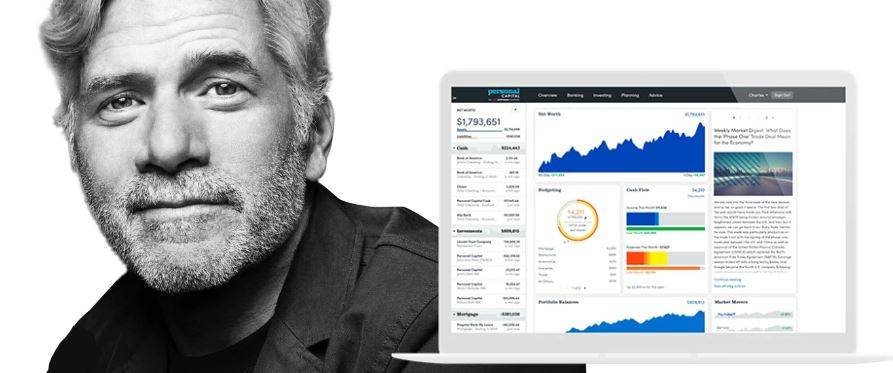
Empower is the next app on our list for the best expense tracker apps. It helps users to keep track of their complete portfolio, monitor their investments, and keep their accounts up to date for free.
Empower provides award-winning investment resources to its clients. They also provide them with personalized financial advice from certified financial advisors at a fraction of the cost of conventional financial advisors.
Empower is among the best apps for business expense tracking because it is practical and inexpensive.
Features & Benefits
- Retirement Planner allows users to plan, manage, and predict the path to retirement from a single location.
- The Dashboard provides a dynamic version of the user’s financial life, allowing them to quickly monitor and handle it.
- Fee Analyzer helps customers save thousands of dollars in hidden mutual fund fees.
- The Personal Strategy functionality allows you to take a unique approach to your portfolio. It blends Empower’s cutting-edge technology along with the knowledge and experience of its financial experts to build a diversified multi-asset type portfolio on a global level.
- It has the distinction of being a financial website that serves as both personal budgeting and an investment management service.
- Customers have access to both wealth management and financial budgeting through a single portal.
Cost
The app itself is free. Empower’s wealth management is charged as a percentage of the assets it manages, and that percentage is lower for larger accounts.
3. Zoho Expense Review – Travel And Expense Management App
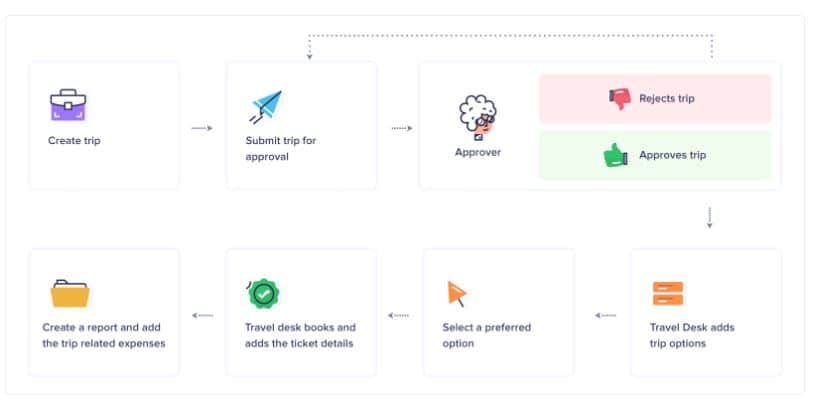
Zoho Expense is the next app on our list for the best expense tracker apps. The aim of this app is to make cost monitoring and reporting as simple as possible.
Updates approvals, connects to credit cards, and expense tracking is automated and helps the user to gain spending opportunities.
Small businesses love Zoho Expense, and it is one of the best apps for business expense tracking available today. It integrates with a variety of other applications, including Zoho Books with CRM, Slack, QuickBooks, G Suite, Office 365, and more.
Features & Benefits
- Expenses are reported on the fly and when they occur, saving time and preventing data loss during a hectic schedule.
- The automatic scan function in Zoho Expense saves the user’s invoices or even a photo of an invoice right away. For instance, crucial information such as the cost, date, and name of the establishment.
- Written reports and supplementary fields of data may be used to categorize expenses. Attaching the receipt, entering the cost details, and pinning the expenses onto the report are all that is required of the customer.
- An expense allocation should be established for all workers, as well as the countries to which they would fly. Cab fare, food, and accommodation can all be budgeted separately to avoid overspending.
- Invoice monitoring is done in the cloud and is completely secure.
- Expense reports could be generated and submitted, and related expenses can be combined to prevent duplicate fields.
Pricing Plans
Zoho Expense has a free plan for small teams and paid Standard and Premium plans priced per user per month, with lower rates for annual billing. Current prices are on Zoho Expense’s pricing page.
4. Emburse Spend (formerly Abacus) Review – Best Expense Reporting App
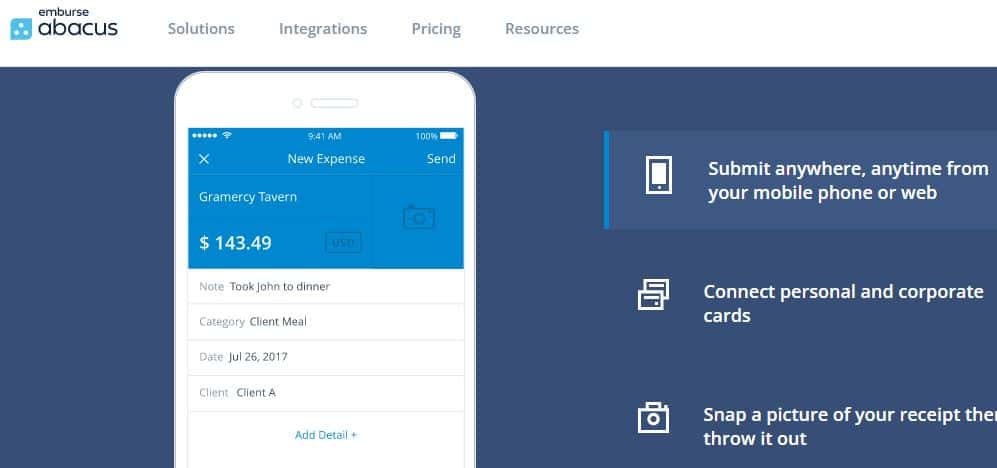
Emburse Spend is an expense tracker software that works in real-time. It uses behavior analysis and data to automate costs and approvals. It is on our list of favorites for the best apps for business expense tracking due to its powerful features.
This allows for the optimization of expense workflows and allows management to concentrate on issues and items of high priority.
Emburse Spend is one of the most useful apps for keeping track of your spending. It provides guidance and alerts you to expenditures that need to be reviewed, and it handles recurring expenses under policy right away.
It’s possibly the most straightforward way to repay teammates, apply/implement a policy for expenses and reconcile company credit cards.
Features & Benefits
- The mobile app from Emburse Spend saves information from trip itineraries, any alerts on travel delays or changes, and electronic records.
- The application can conveniently pull in all the receipts from the database of credit card statements, thanks to the credit card/bank integration.
- Users are able to submit their expense reports and travel requests directly to the rep in charge of the approval.
- A common invoice type library, which can also be customized/branded, is used to build invoices. Users can also submit invoices in both print and electronic formats.
- Emburse Spend also allows advanced integrations with travel systems like Uber, hotels, airline ticket systems, and more, which makes it one of the best app for tracking mileage and expenses.
- Employees are reimbursed directly using their bank accounts, and the app can be linked to their payment system.
Pricing Plans
Abacus is now part of Emburse (Emburse Spend), which sells expense management on quoted, annual plans. Ask Emburse for current pricing.
5. Rydoo Expense Review – Best Expense Tracker Software For Travel
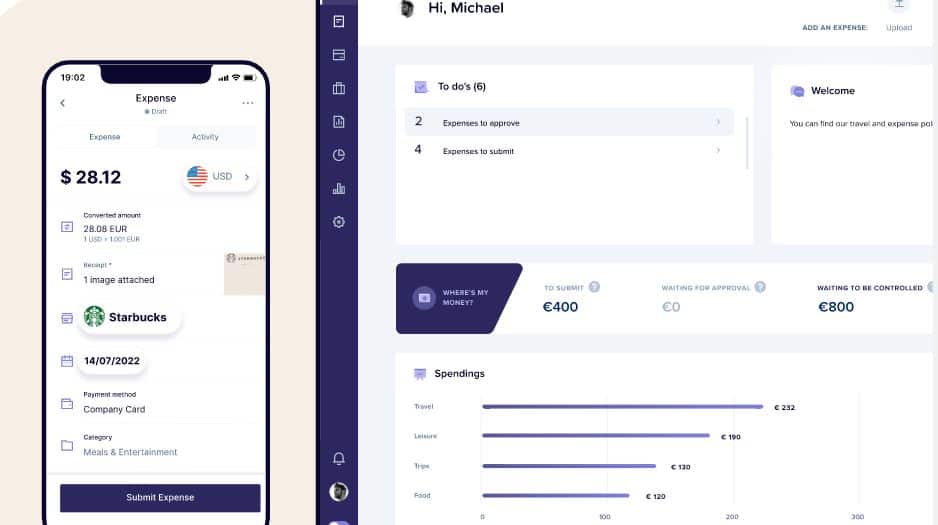
Rydoo Expense is the app for you if you’re looking for a budget-friendly expense mileage tracker. It’s a commonly used travel expense tracking app, and it makes expense tracking easier for companies with high potential for growth.
The Rydoo Expense app’s main goal is to relieve businesses and their workers of needless trip and expense stress. This app will look up hotels and flights, as well as book a train seat or locate a taxi with a good price ranking.
Features & Benefits
- With credit card/bank integration, receipts from statements can be quickly imported. This makes it a great app for keeping track of your spending.
- Reports of expenses are simple and easy to make, take less time, and can be operated with ease by new users.
- Notifications for hotels, upcoming flights, rental cars, and other events are set up and sent out. This is accomplished by integrating calendaring systems.
- AP workflows can be combined to aid inaccurate reporting and revenue recognition.
- Employees receive reminders to complete their unfinished payroll reports or timesheets.
- It keeps track of trip itineraries, digital notes, and any delays or adjustments in the journey.
Pricing Plans
Rydoo’s Essentials and Pro plans are priced per user per month (cheaper billed annually, with a minimum number of users), and its Business and Enterprise plans are custom-priced. Current prices are on Rydoo’s pricing page.
6. Shoeboxed Review – Best Receipt Tracker App
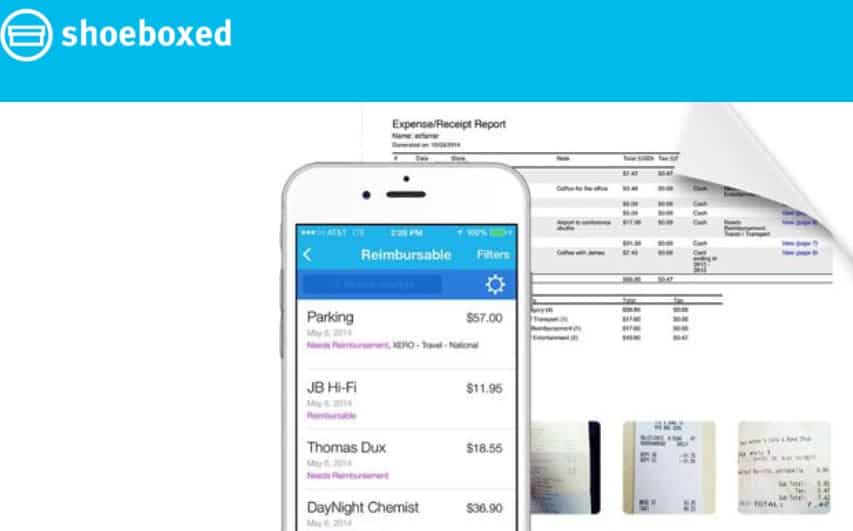
Shoeboxed is a fantastic cost tracker that also performs as a record management tool. Business cards, receipts, and various paperwork can be scanned and stored in the searchable database on the cloud.
For the best small business expense tracker app, we recommend Shoeboxed. By converting paper trails into data digitally, Shoeboxed assists in achieving optimum levels of the organization.
As a result, they are able to optimize tax deductions while also reducing the time-consuming administrative work and accounting tasks.
Features & Benefits
- Calendars are linked to networks that include details and alerts about upcoming trips, hotels, and car rentals, among other things.
- Seamless band and easy receipt entry from credit card statements thanks to the integration of credit cards.
- Receipts, like parse receipts, can be easily translated and combined into a report using a mobile device.
- Users may use Shoeboxed’s algorithm to build a system for complex approval forms.
- Users can monitor mileage using maps or GPS from their mobile devices.
- If employees have not finished their payroll reports or timesheets, they may receive automatic reminders.
Pricing Plans
Shoeboxed has four plans (Starter, Pro, Plus and Paper Plus), billed monthly or annually; they differ by how many documents you can scan or mail in, so higher plans suit higher-volume businesses. Current prices are on Shoeboxed’s pricing page.
Best Expense Tracker Apps For Investors
Empower is the sought-after app for most investors. Empower is a fantastic tool to use if you got your cash flow handled but want a better visual representation of your finances. It’s like recruiting an investment manager with all the features, plus you get a free dashboard for personal finances once you sign up.
Intuit QuickBooks is the cost tracking software for small companies. Depending on your needs, QuickBooks is available in a variety of models with different features.
It isn’t perfect; however, it is currently the best solution for managing the entire company in one app, including cost monitoring, payroll, and contract management.
Key Features Of An Expense Tracker Software
Expense tracker apps come in a variety of ways. But, before you pick one, ensure that it meets your requirements. Some of the functionalities that a good expense tracker software should have are mentioned below.
- Custom income and expenditure categories
- A user interface that is simple, intuitive, and user-friendly.
- Graphical representation of income and expenses
- Unlimited income and expense history
- Reports and analysis that is easy to follow and export
- The most common expense categories
The Best Way To Track Expenses
It’s difficult to track expenses related to the business, particularly if you’re a busy business owner.
How thoroughly are the company income and expenses monitored?
The steps for monitoring business income and expenses are outlined below.
1. Open a business banking account
It’s important to differentiate your personal and business funds once the company is up and running. This is the initial step in keeping track of the company’s income and expenses.
2. Decide on an accounting system
You must first pick an accounting system before you begin monitoring your expenses and income. Do some analysis to see which method is best for your company’s needs, whether it’s a cash basis or an accrual basis.
3. Use the accounting system you’ve chosen
Small businesses face a real challenge here, as accounting can become difficult for them. It’s crucial to keep meticulous records of the company’s costs and earnings.
This data will provide you with a realistic picture of your company’s financial status.
4. Keep track of your expenses
It’s important to monitor your spending after you’ve introduced an accounting method and started entering your income and expenses.
In order for a company to grow, it is critical to keep track of its expenses. Keeping a record of the deductibles, building financial statements, and preparing tax returns are all required action items.
5. Keep an eye on your income and expense behavior
Information is a powerful tool, and timing is crucial. You must keep track of your company expenses on a regular basis in order to determine how well your company is doing. That means you’ll need to maintain records of your company expenses and income on a regular basis.
Normally, recording and tracking your expenses and income once every month is enough. This job is made a lot easier with the aid of the best apps for business expense tracking.
Final Thoughts
Keeping track of expenses is one of the lesser enjoyable tasks for most company owners. Fortunately, a variety of cloud-based tools are now available to assist small and medium companies in modernizing and automating activities such as cost monitoring and reporting, as well as managing the business expenses of employees.
Here are the best expense tracker apps:
1. QuickBooks – Best App For Tracking Mileage And Expenses
2. Empower (formerly Personal Capital) – Best App For Building Wealth
3. Zoho Expense – Travel And Expense Management App
4. Emburse Spend (formerly Abacus) – Best Expense Reporting App
5. Rydoo Expense – Best Expense Tracker Software For Travel
6. Shoeboxed – Best Receipt Tracker App
Receipts and invoices that are photographed or scanned can now be used for mobile applications and smartphones. They also offer a service that makes preparing and submitting reports related to expenses online much faster and simpler.